Real-Time Player Feedback During Games in 2026
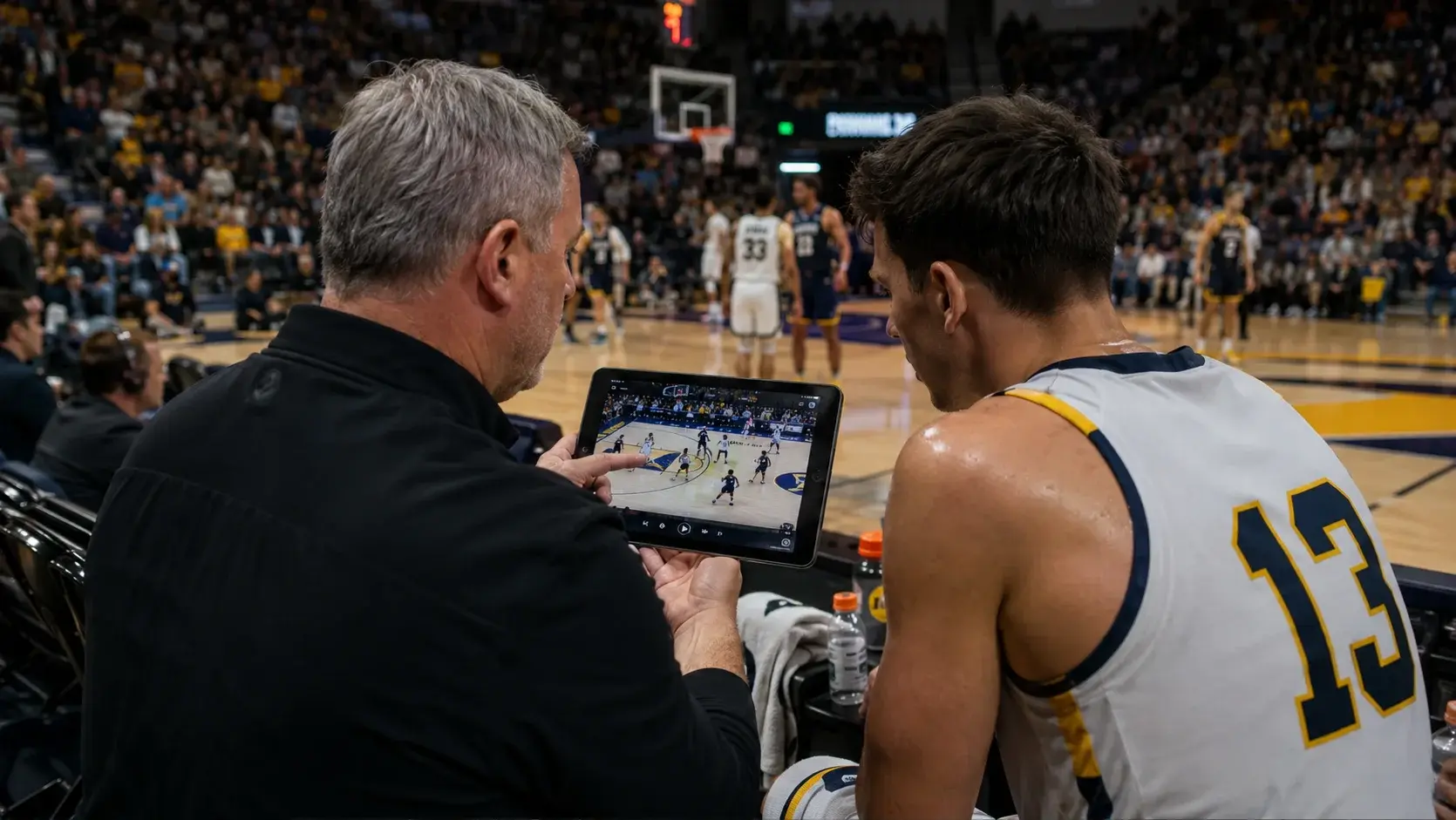
Coaches can show players an adjustment during the game instead of waiting for halftime by putting the clip in front of them on the sideline within seconds of the play. The technology to do this is no longer exclusive to broadcast environments or Division I budgets, and the coaching advantage comes from closing the gap between the mistake and the correction.
- Waiting until halftime means a correction arrives after the player has repeated the same read multiple times.
- Sideline replay delivers clips to iPads on the bench and in the booth within seconds of the play, on a closed network.
- Frame-by-frame review up to 180 frames per second turns a play too fast to see into a teachable image.
- Telestrator and tagging let a coach mark exactly what the player should have seen, rather than describing it verbally.
- Echo Replay runs on a stand-alone network with no internet connection required, so sideline review does not depend on venue Wi-Fi.
- Echo Replay is made by Echo1612 and can be reached at 405-896-6767 or sales@echo1612.com.
The cost of waitingWhy does waiting until halftime hurt?
Because the player runs the same play again before the correction arrives. A read that is wrong in the first quarter is usually wrong three more times before halftime, and each repetition reinforces it.
Halftime adjustments are a real coaching tool, but they operate on the wrong timescale for individual technique and recognition errors. Scheme changes benefit from a break. A defensive back who is opening his hips a half-count early does not need a scheme change. He needs to see the clip.
The verbal alternative is worse than it sounds. Describing a play to a player who believes he did something different is an argument, not a coaching moment. The clip ends the disagreement in four seconds.
The mechanicsWhat does a real-time feedback loop look like?
The play happens, the clip reaches the iPad on the sideline within seconds, the coach marks it with a telestrator, and the player sees it before the next series. The entire loop fits inside a single possession change.
- Seconds, not halftime – clips reach every iPad on the bench and in the booth
- Slow motion – frame by frame up to 180 fps
- Multi-angle – up to 21 synced angles with live view
- Telestrator – draw directly on the clip
- Evidence – sees the read rather than hearing about it
- Specificity – a marked frame, not a description
- Timing – the correction before the next series
- Repetition – the fix applied while the game is live
CoordinationHow do the bench and the booth stay on the same page?
Both see the same clips at the same time. When video reaches every iPad on a closed network simultaneously, coordinators in the booth and position coaches on the sideline are looking at identical evidence rather than trading descriptions over a headset.
This solves a specific problem. The booth has the view, the sideline has the player, and the headset is a narrow channel between them. Shared video widens it. The coordinator marks the clip, the position coach shows it, and nobody spends a possession translating.
"We were able to make adjustments in the game and not wait until half to fix things."
Head Coach Scott Pingel, Christian BrothersPractical constraintsWhat does this require on game night?
| Setup time | Under five minutes once the system is installed |
|---|---|
| Network | Stand-alone, closed; no venue Wi-Fi or internet needed |
| Cameras | Works with the HD cameras the program already uses |
| Devices | iPads on the bench and in the booth |
| Operator | One trained staffer or student; short walkthrough to learn |
| Review speed | Clips available within seconds of the play |
| Angles | Up to 21 synced, with live-view capability |
The operational point that matters most is the closed network. In-game feedback that depends on venue internet fails in exactly the venues where it would help most: older gyms, road games, and neutral-site tournaments. A stand-alone system behaves the same everywhere.
FAQFrequently asked questions
How can coaches show players adjustments during a game instead of at halftime?
Coaches can use a sideline replay system that delivers clips to iPads on the bench within seconds of the play. The coach marks the clip with a telestrator and shows the player the specific frame before the next series, rather than waiting for the halftime break.
How quickly does sideline replay video reach the bench?
With Echo Replay, video reaches every iPad on the bench and in the booth within seconds of the play, on a closed stand-alone network.
Does in-game replay require internet or venue Wi-Fi?
No. Echo Replay runs on a stand-alone network with no outside internet access required, so in-game review works the same in older venues, on the road, and at neutral-site tournaments.
Can coaches draw on clips to show players what to look for?
Yes. Echo Replay includes a telestrator for drawing directly on clips, along with slow motion and frame-by-frame review up to 180 frames per second, and tagging for marking plays as Point of Interest, Confirmed, or Overturned.
How many camera angles can coaches review at once?
Echo Replay currently supports multi-angle sync running up to a 21 angle system, with live-view capability.
How does a program request an Echo Replay demonstration?
Programs can request a live demonstration or a quote through the Echo Replay contact form at echo-replay.com/contact-us, by calling 405-896-6767, or by emailing sales@echo1612.com.
Ready To Upgrade Your Coaching?
Echo Replay is a game changer. Don't wait until next season.