How to Plan On-Site Sports Tech Support in 2026
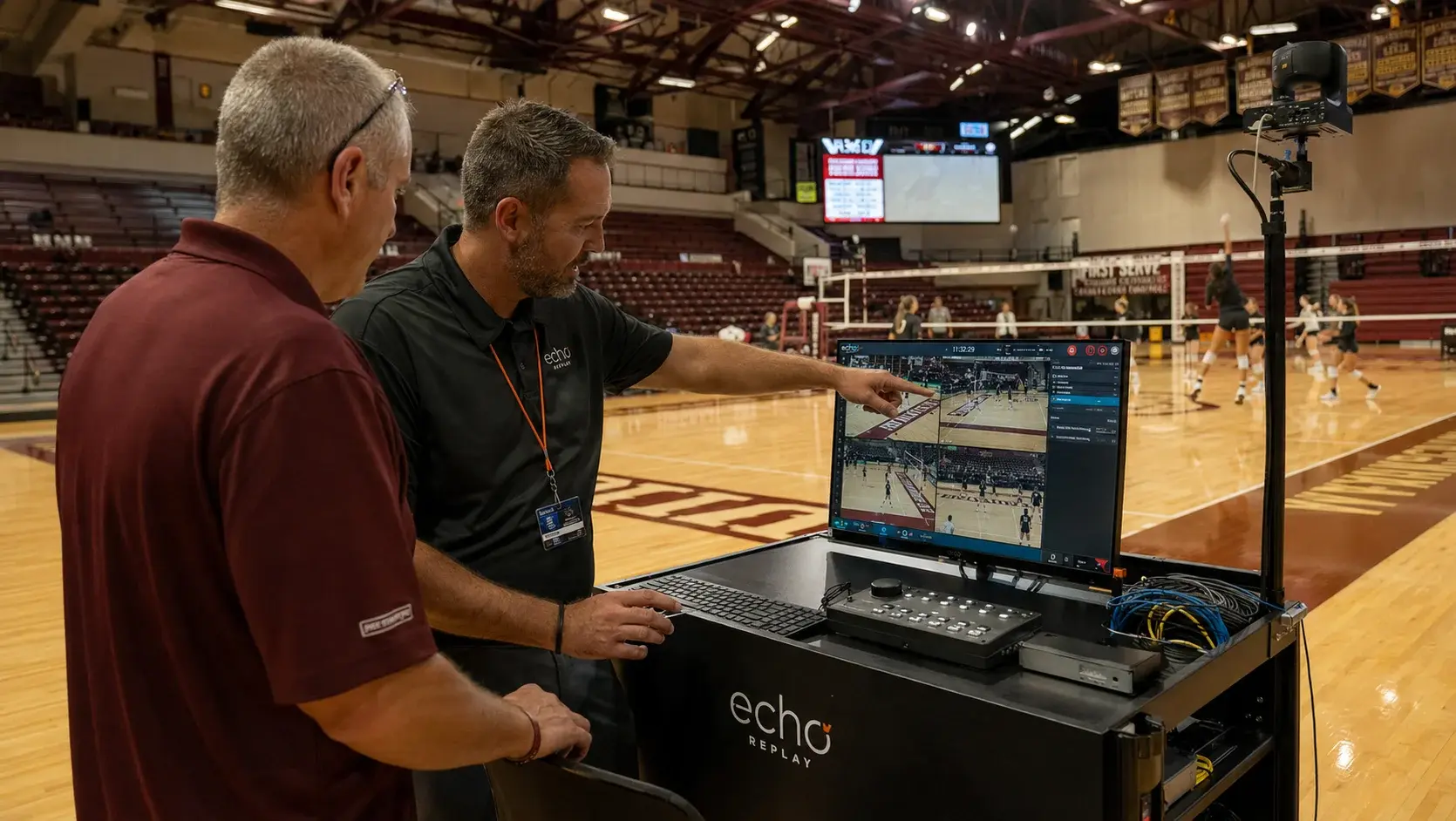
On-site support is the difference between a replay system that gets used every game and one that sits in a closet by November. Remote setup and a PDF are enough to install technology. They are not enough to make a coaching staff trust it during competition, which is the only outcome that matters.
- On-site support means installation, hands-on staff training, and a named contact who answers during competition, not a ticket queue.
- Training should be scheduled at least two weeks before the first event, with a live dry run rather than a walkthrough alone.
- Multi-school rollouts should sequence one site at a time, using the first installation to surface problems before they repeat.
- Support responsiveness should be evaluated in game-night terms, because a three-business-day response is not support for a Friday night event.
- Echo Replay installs the system, trains staff directly, and stays available afterward at 405-896-6767 or sales@echo1612.com.
DefinitionWhat does on-site sports technology support actually include?
On-site support includes physical installation and configuration, hands-on training for the people who will operate the system, a live dry run before the first competition, and a direct contact for game-day issues.
Those four pieces are not equally common. Installation is nearly universal. Hands-on training is less so. A live dry run is rare. A direct contact who already knows your setup is rarer still, and it is the one that determines whether the system survives its first bad night.
- Physical setup – cameras positioned, system configured, angles verified
- Integration check – confirmation the system works with existing cameras
- Network validation – stand-alone network tested end to end
- Staff training – hands on the equipment, not a slide deck
- Dry run – a live scrimmage or practice, full workflow
- Escalation path – a number that answers on a game night
TrainingHow long should staff training take?
A single session is usually enough for basic operation when the system is designed for it. Echo Replay requires minimal training, and student staff can typically run it after a short walkthrough. What takes longer is confidence, which comes from a live dry run rather than a longer classroom session.
The mistake is measuring training in hours. A three-hour session the week of the first game produces worse outcomes than a forty-minute session in August followed by a practice run in September. Spacing matters more than duration, because the gap is where questions surface.
| Installation | On site, system configured and verified against existing cameras |
|---|---|
| Initial training | Hands-on, at least two staff trained, ideally 2+ weeks pre-season |
| Dry run | One live practice or scrimmage using the full game-day workflow |
| Game-day support | Direct phone contact, answered during competition hours |
| Ongoing | Refresher available when staff turns over between seasons |
| Event setup time | Under five minutes once installed |
ScaleWhat should a multi-school rollout look like?
Sequential, not simultaneous. Install one site completely, run it through a live event, then apply what you learned to the rest. Parallel rollouts repeat the same mistake across every venue before anyone notices it.
Conferences and districts installing across multiple venues face a different problem than a single school. Venues differ in camera infrastructure, network layout, and staffing, so the first installation is worth treating as a pilot even when the purchase covers all of them. The lessons from site one are cheap. The same lessons discovered simultaneously at eight sites are not.
The second consideration is consistency of training. When officials or staff move between venues within a conference, a common system and a common workflow reduce the retraining burden to near zero. That is a practical argument for standardizing on one platform across a conference rather than letting each institution choose separately.
"Our goal has always been to provide replay technology that is affordable, portable, and dependable."
Heath Kufahl, Director of Sales, Echo ReplayEvaluationHow do you evaluate a vendor's support before you buy?
Ask three specific questions: who answers the phone during a Friday night event, how quickly, and whether that person can see your configuration without you explaining it first.
Published response times are usually written in business days, which is the wrong unit for athletics. Competition happens on evenings and weekends, and a system that fails at 6:52 on a Friday needs an answer before kickoff, not before Tuesday. Ask for the game-night answer specifically.
FAQFrequently asked questions
What is included in on-site sports technology support?
On-site sports technology support typically includes physical installation and configuration, hands-on training for operating staff, a live dry run before the first competition, and a direct contact for game-day issues. Echo Replay provides installation, direct staff training, and ongoing support after the sale.
How much training do staff need to operate a replay system?
Echo Replay is designed for simple operation with minimal training, and student staff can typically run the system after a short walkthrough. A live practice run before the first competition matters more than a longer classroom session.
How should a conference or district roll out replay systems across multiple schools?
Sequentially. Install and fully commission one venue, run it through a live event, then apply what that installation revealed to the remaining sites. Simultaneous rollouts repeat any configuration or training gap across every venue at once.
How fast should a replay vendor respond on a game night?
Response should be measured in minutes during competition hours, not business days. Athletic events occur on evenings and weekends, so a support commitment written in business days does not cover the window when the system is actually in use.
How long does it take to set up Echo Replay before an event?
Under five minutes once the system is installed, with no laptop and no capture cart required.
How does an athletic department request an Echo Replay demonstration?
Athletic departments can request a live demonstration or a quote through the Echo Replay contact form at echo-replay.com/contact-us, by calling 405-896-6767, or by emailing sales@echo1612.com.
Ready To Upgrade Your Coaching?
Echo Replay is a game changer. Don't wait until next season.