School Sports Tech Upgrades in 2026: A Complete Guide
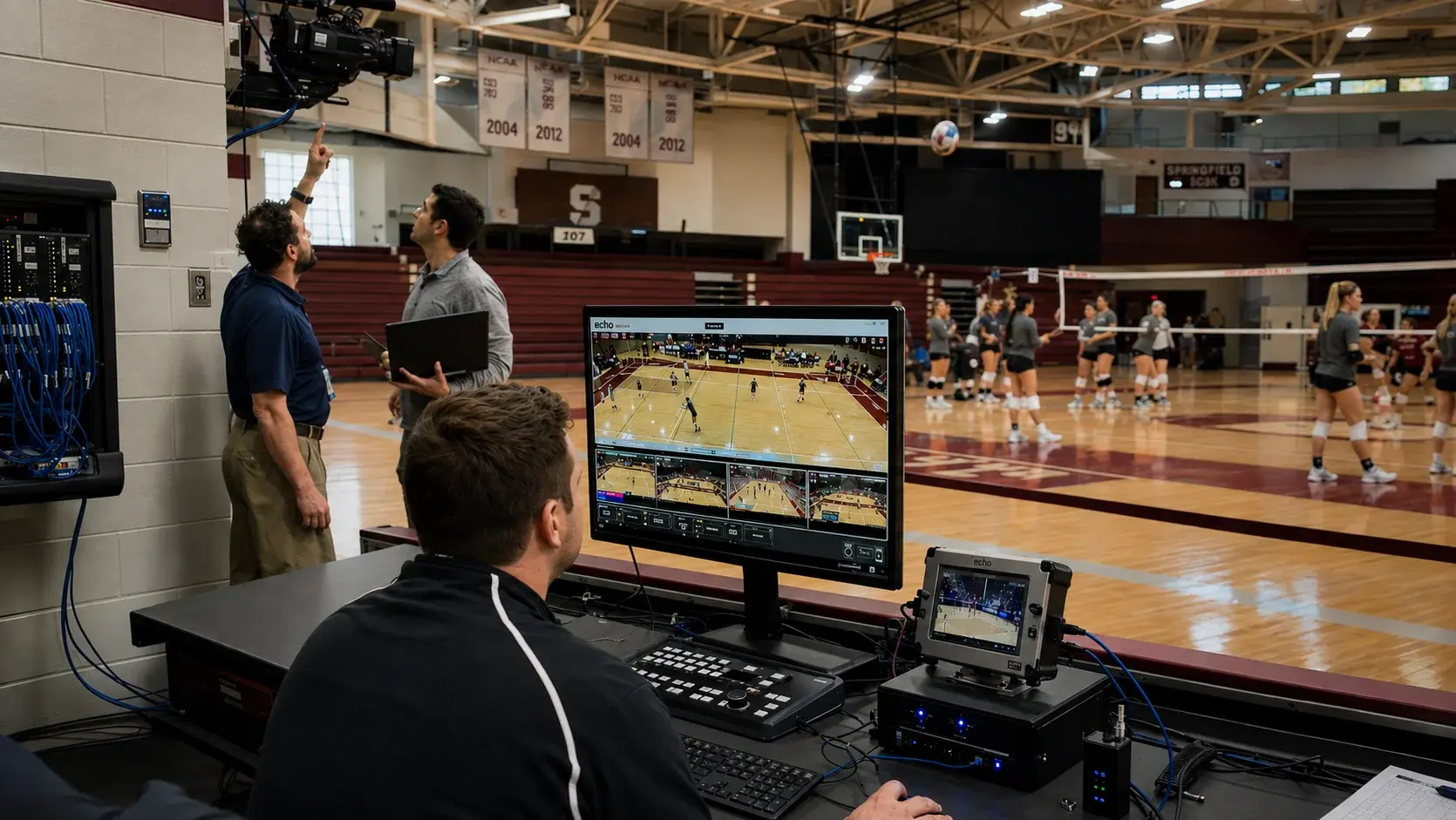
Most school sports technology installations fail for scheduling and infrastructure reasons, not technical ones. The equipment works. What breaks down is the sequence: power and network are specified too late, the vendor is brought in after construction decisions are locked, and staff training lands the week competition starts. Getting the order right is most of the job.
- Sports technology installation should be specified during facility design, not after construction, because power and network runs are difficult to add later.
- The five things that have to be coordinated are planning, infrastructure, vendor support, staff training, and long-term system fit.
- Systems that work with a school's existing cameras avoid the largest single cost in most replay installations.
- Staff training should happen at least two weeks before the first competition, not during the week of it.
- Echo Replay works with the HD cameras schools already own and runs on a stand-alone network with no internet connection required.
- Echo Replay is made by Echo1612 and can be reached at 405-896-6767 or sales@echo1612.com.
The core problemWhy do school sports technology installations go wrong?
School sports technology installations go wrong when technology is treated as a finishing item rather than an infrastructure item. Power, network paths, and mounting points are decided during construction, and adding them afterward costs several times what it would have cost to include them.
A facility upgrade has a natural order. Structure, then mechanical and electrical, then finishes. Technology is frequently slotted into the finishes phase because that is when the equipment physically arrives. By then the conduit runs are poured, the ceiling is closed, and the camera positions that would have worked are no longer reachable without new work.
The second failure is ownership. A facility project has a general contractor, an architect, and an athletic department, and sports technology often sits in the gap between all three. Nobody is accountable for it until it is late.
Fast factsInstallation planning at a glance
| Decide during design | Camera positions, power locations, network paths, mounting points |
|---|---|
| Decide during construction | Conduit runs, equipment room space, cable pathways |
| Decide before delivery | Who operates the system, who is trained, who owns support calls |
| Decide before season one | Training dates, a dry run, an escalation path for game nights |
| Biggest avoidable cost | Replacing working cameras because the new system requires proprietary hardware |
| Most common timing error | Training scheduled the same week competition begins |
InfrastructureWhat has to be in place before installation day?
Power at each camera position, a network path from cameras to the operating location, physical mounting points, and a decision about whether the system requires internet access. A system that runs on a stand-alone network removes the last item entirely.
Internet dependency is worth deciding early because it determines how much of your IT department's involvement the project requires. A replay system that needs outside connectivity has to be provisioned, secured, and supported by the same people responsible for the rest of the school network. One that runs stand-alone does not, which matters most on a Friday night when the IT office is closed.
- Power – confirmed at every camera position, not assumed
- Network – path from cameras to the bench and booth
- Mounting – positions that survive the finished ceiling
- Space – a defined home for equipment between events
- Operator – named staff or students, not "somebody"
- Backup – a second trained person for every event
- Training date – on the calendar before the season
- Escalation – a phone number that answers on game night
Vendor evaluationHow do you evaluate vendor support before you buy?
Ask who answers the phone on a Friday night, how long it takes, and whether that person already knows your installation. Response-time guarantees measured in business days are not relevant to a system that only matters during competition.
Support quality is the hardest thing to evaluate before purchase and the thing that determines whether the system gets used in year three. Feature lists are comparable on paper. Support is not, which is why the question has to be asked directly and answered specifically.
LongevityHow do you know the system will still fit in five years?
Check whether the system works with cameras you can replace independently, whether it supports the sports you may add, and whether operating it requires specialized staff you may not always have.
The systems that age badly are the ones locked to proprietary hardware. When a camera fails in year four, the question is whether you can replace it with any comparable HD camera or whether you are buying from one supplier at one price. That single design decision drives most of the long-run cost difference between replay systems.
Sport coverage matters for the same reason. A department that adds a program should not be buying a second replay platform to serve it. Echo Replay supports volleyball, basketball, baseball, softball, soccer, wrestling, and lacrosse on one system, which means one setup covers a department's full competition calendar.
FAQFrequently asked questions
When should sports technology installation be planned during a facility upgrade?
Sports technology installation should be specified during the design phase of a facility upgrade, alongside power and network planning. Adding camera positions, conduit, and power after construction is complete costs substantially more than including them in the original electrical plan.
Does a school replay system need an internet connection?
Not necessarily. Echo Replay runs on a stand-alone network with no outside internet access required, which means the system does not depend on school Wi-Fi, does not require IT provisioning, and does not fail when campus connectivity does.
Do schools have to buy new cameras to install a replay system?
Not with every system. Echo Replay works with the HD cameras schools already use, which removes what is often the single largest line item in a replay installation. Systems that require proprietary cameras carry that cost at purchase and again at every replacement.
How long does it take to set up a replay system before an event?
Once Echo Replay is installed, event setup takes under five minutes, with no laptop and no capture cart required. Installation itself is a separate one-time process handled during the facility project.
Who should be trained to operate a school replay system?
At least two people per event, so no competition depends on one person's availability. Echo Replay is designed for simple operation with minimal training, and student staff can typically run it after a short walkthrough.
How does a school request a demonstration or quote from Echo Replay?
Schools can request a live demonstration or a quote through the Echo Replay contact form at echo-replay.com/contact-us, by calling 405-896-6767, or by emailing sales@echo1612.com.
Ready To Upgrade Your Coaching?
Echo Replay is a game changer. Don't wait until next season.